M5Stick Dictation — a button that types on my iPhone
November 3, 2026 (3d ago)
The microphone that never turns off
Apps like Wispr Flow put dictation inside the iOS keyboard. A keyboard extension isn't allowed to record, so they work around it: the keyboard signals the main app through a Darwin notification, and the main app, kept alive in the background, holds the microphone open. Press the key in the keyboard and the main app starts listening.
It works, but the microphone indicator stays lit and a Live Activity sits on the lock screen the whole time. I built my own version of this, and even with it shutting itself off after 15 minutes, I didn't like it. A phone that is always half-listening is not what I want in my pocket.
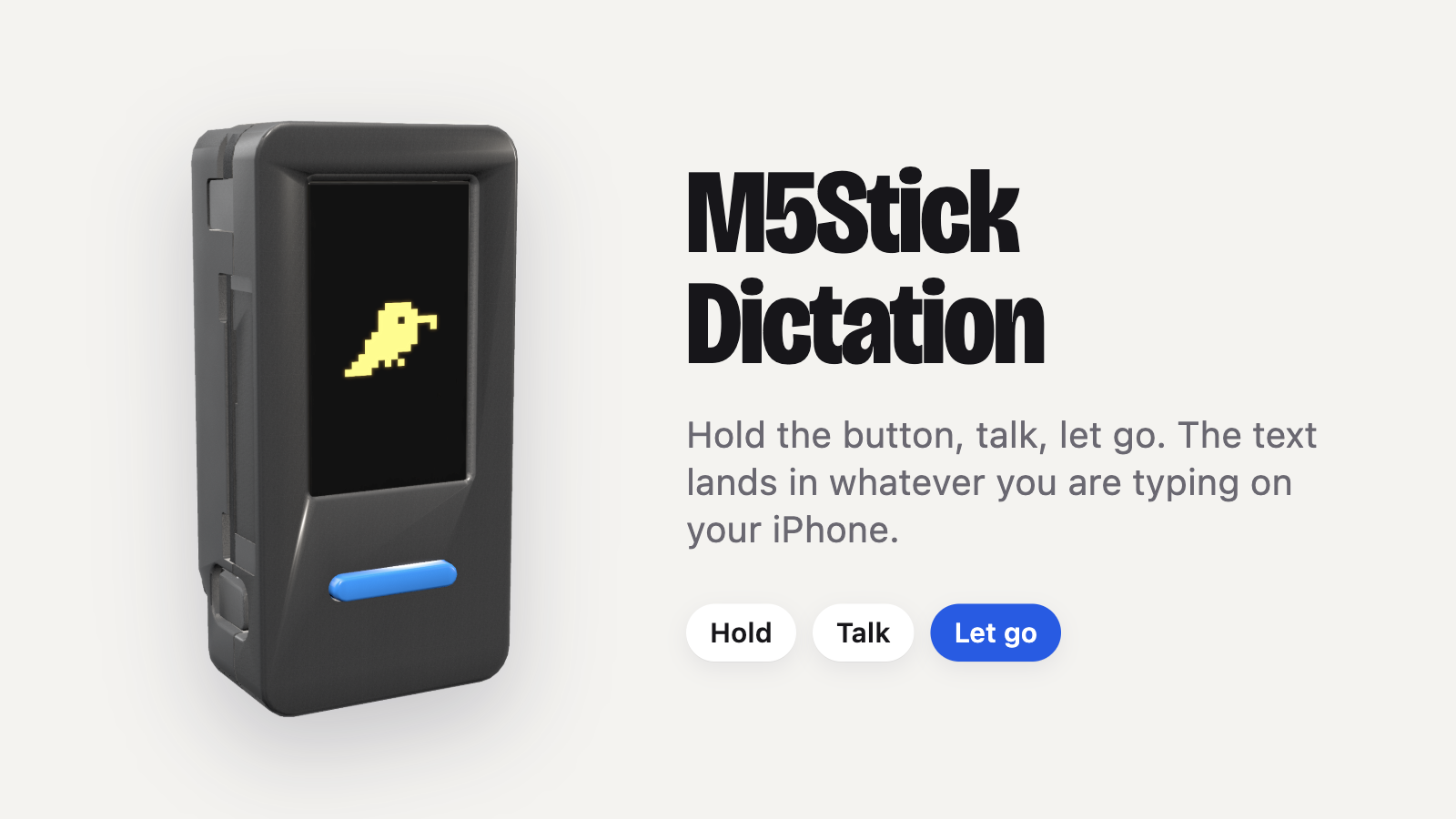
So I moved the microphone off the phone. The M5Stack StickS3 is an ESP32-S3 that already comes with a battery, microphone, speaker, screen and buttons in one small case, so there was no hardware to build. It records only while I hold its button.
M5Stick Dictation is open source: kuosuko/m5stick-dictation.
How it works
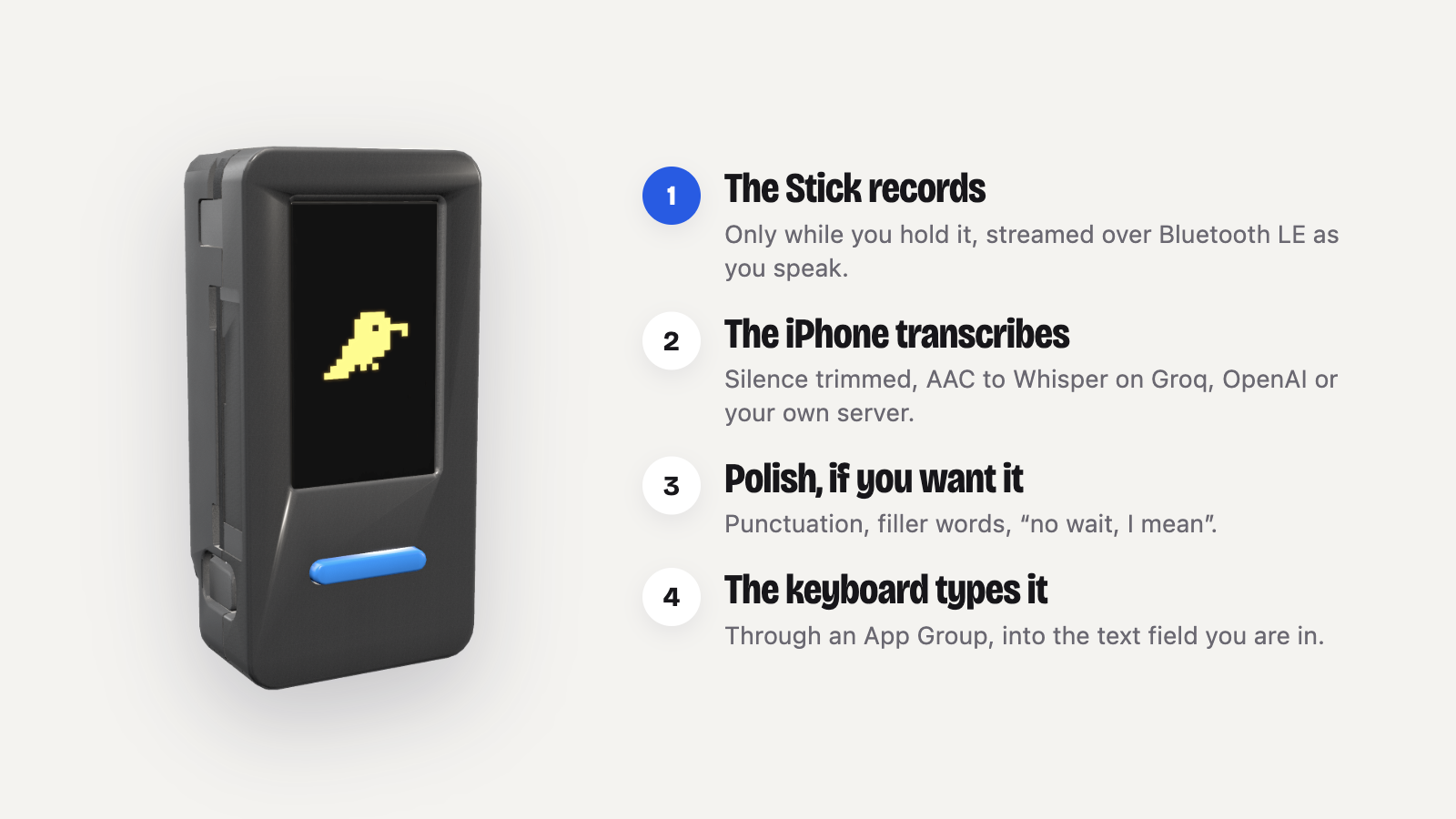
The Stick streams compressed audio over Bluetooth while I talk. The iPhone app trims the silence, sends the speech to Whisper (Groq by default; OpenAI or a server of your own also work), optionally polishes it, and hands it to the Stick keyboard, which types it into the field.
The keyboard is there because the first plan failed. A background app woken by Bluetooth can't write the clipboard, so the result goes into a shared App Group instead, and the keyboard reads it and types it. It does little else: insert the last result again, saved snippets and kaomoji.
The battery rewrite
The first working build couldn't last two hours on a charge. It stayed awake between dictations, waiting, and while it charged it got warm without the percentage moving. The firmware held the chip awake whenever USB power was present, which used the whole charge current. Letting it sleep on USB too took the next charge from 47% to 71%.
Light sleep looked like the easy fix and caused the most trouble: Bluetooth links dropped, the USB port stopped answering, and a timer it left behind woke the chip from deep sleep after one second. I took it out and rewrote the idle path around deep sleep. After 15 seconds idle, almost everything powers down and only the front button can wake it.
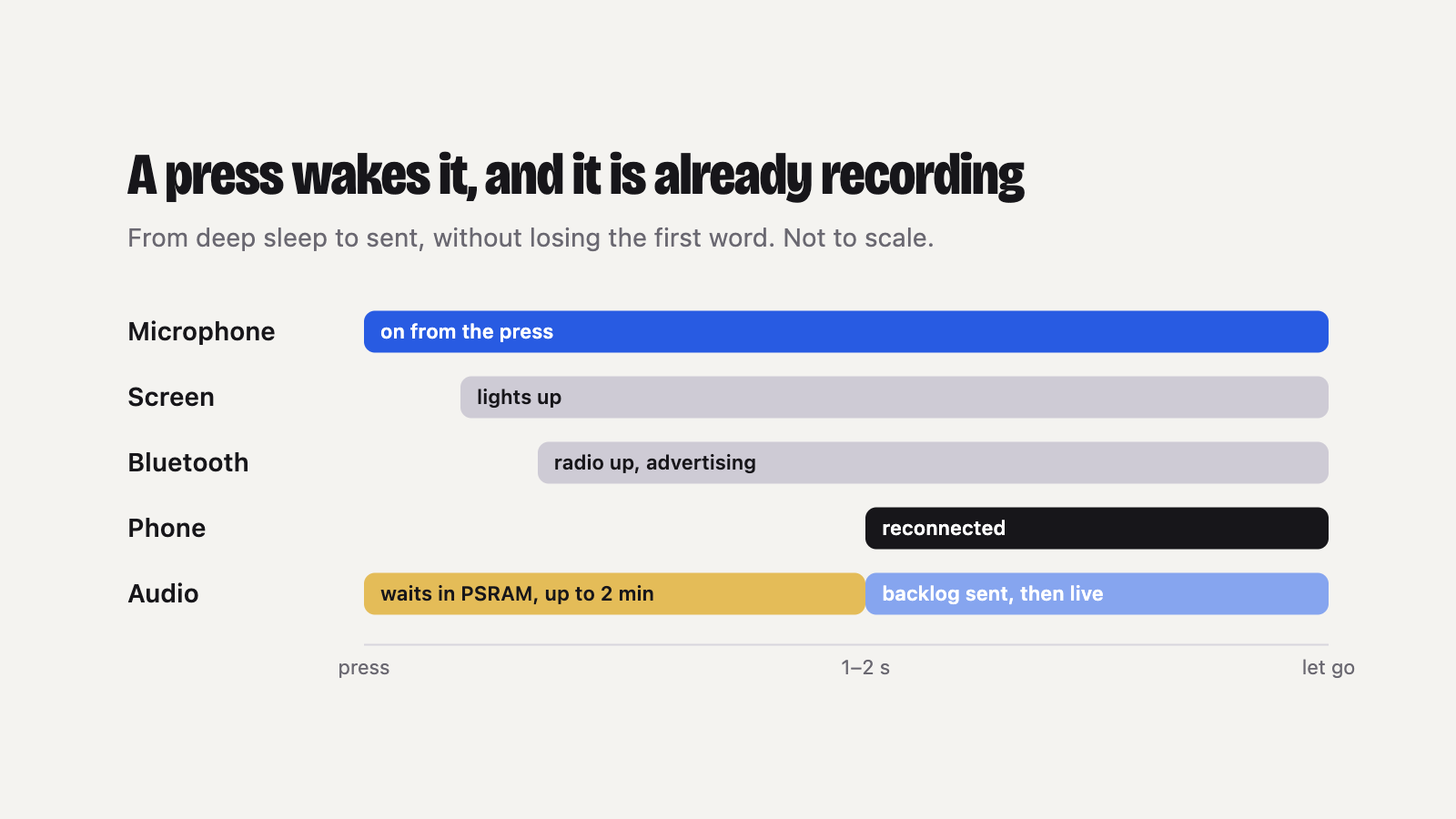
A waking Stick has no Bluetooth connection, and I start talking the moment I press. So the microphone starts first, before the screen and the radio, and the audio waits in PSRAM (up to two minutes of it) until the phone reconnects. The phone takes a second or two. I always talk longer than that, so the first word is kept.
Whisper gets no prompt
Whisper accepts a prompt, and the usual advice is to use it for vocabulary or to ask for Traditional Chinese. In our tests, any prompt made the results drop sharply: it echoed the prompt back on silence and sometimes skipped the first words, because the prompt is read as speech that came before the audio.
So the request carries no prompt at all. Simplified characters are converted afterwards, names and terms go to the polish step, and the well-known subtitle hallucinations ("thanks for watching", "謝謝觀看") are dropped when they are the whole result.
Smaller fixes
- Audio. The codec's gain sat in the digital stage, after the converter, so loud speech clipped and quiet speech hissed. Moving it to the analog stage fixed both.
- Speed. Timing every step showed the upload was the slow part, not the model. AAC at 32 kbps is a third the size of WAV; a 4.2-second sentence now transcribes in 0.65 seconds.
- Screen. Noto Sans TC rendered as anti-aliased fonts, Chinese or English following the phone, and a small parrot that says back what you said.
What's next
The StickS3 has an infrared transmitter and receiver, and a second button on its side. A TV remote and a one-press phone screenshot are next.